


STEP 01
Prepare the machine
Empty the drip tray if required and make sure the group head, portafilter and cleaning components are ready.
Ventori backflush guide
Use your Ventori Backflush Tablets correctly, check that your machine supports backflushing or a cleaning cycle, and set a reminder for the next clean.

One Ventori Backflush Tablet is normally used for a detergent cleaning cycle or supported manual backflush.
Only backflush a machine when its manufacturer specifically supports the procedure.
Complete the machine’s rinse stage or clear-water backflush before making espresso again.
Ventori Care app
Ventori Care can keep supported machine guidance and maintenance reminders together on your phone, helping you stay on top of cleaning cycles without relying on a one-size-fits-all date.
Compatibility first
Backflushing cleans coffee oils and brewing residue from compatible espresso-machine brew paths. Some machines run an automatic cleaning cycle, some support a manual backflush with a blind filter or cleaning disc, and some should not be backflushed at all.
If your manual does not describe a backflush or cleaning cycle, do not assume the procedure is suitable for your machine.
Before using a tablet
Many Sage and other espresso machines provide an assisted cleaning programme.
Traditional espresso machines may use a blind basket or cleaning disc, but only when the manufacturer supports it.
Bean-to-cup and pod machines generally use different cleaning procedures unless their instructions explicitly say otherwise.
Two different jobs
Removes coffee oils and brewing residue from compatible group-head and valve pathways. This is what Ventori Backflush Tablets are for.
Removes mineral limescale from the internal water system. Use a dedicated descaler and follow your machine’s descaling procedure.
How to use Ventori backflush tablets
Use these steps as a quick guide, then follow your model’s cleaning-cycle or backflush instructions for the buttons, timings and rinse sequence.
Empty the drip tray if required and make sure the group head, portafilter and cleaning components are ready.

Place one Ventori Backflush Tablet into the cleaning disc, blind basket or location specified by your machine instructions.

Lock the portafilter into the group head or prepare the machine exactly as required for its cleaning programme.

Start the machine’s cleaning programme or follow its approved manual backflush sequence. Do not substitute a generic timing sequence.

Remove the portafilter or cleaning disc when instructed and rinse away any remaining detergent and loosened coffee residue.
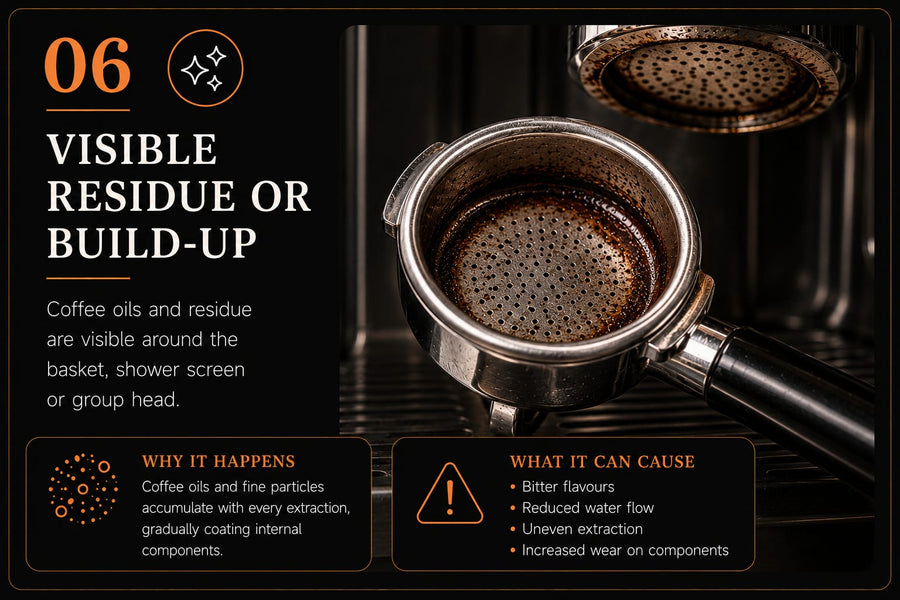
Run the required rinse cycle or clear-water backflush before making espresso again.
The public Backflush Guide covers cleaning cycles, manual backflushing, clear-water rinses and compatibility in more detail.
Find the right procedure
The cleaning disc, button sequence, timing and rinse process can all differ by model.
Next time
Backflush frequency depends on the machine and how often you make espresso. The Ventori Care Schedule helps you keep the next clean on your radar without relying on a one-size-fits-all date.

Ventori Backflush Tablets
Keep another box ready for the next detergent cleaning cycle or supported manual backflush.
Care questions
Follow the guidance for your exact machine. Cleaning frequency depends on usage, machine design and whether the machine provides its own cleaning prompt.
One Ventori Backflush Tablet is normally used for a supported detergent cleaning cycle or manual backflush, unless your machine instructions specify otherwise.
No. Only backflush a machine when the manufacturer supports the procedure. Some machines use a cleaning cycle, some allow a manual blind-filter backflush, and others should not be backflushed.
Yes. Complete the machine’s fresh-water rinse stage or approved clear-water backflush before brewing espresso again.
No. Backflush tablets remove coffee oils and brewing residue from compatible brew paths. Descaler removes mineral limescale from the internal water system.
Do not use a backflush tablet unless the manufacturer specifically instructs you to use that type of cleaning process. Bean-to-cup and pod machines usually use different cleaning procedures.
Routine care
Check compatibility, follow your machine’s procedure and set a reminder based on how often you use it.